For iPhone & iPad · iOS 14 or later

Blood Sugar App for iPhone

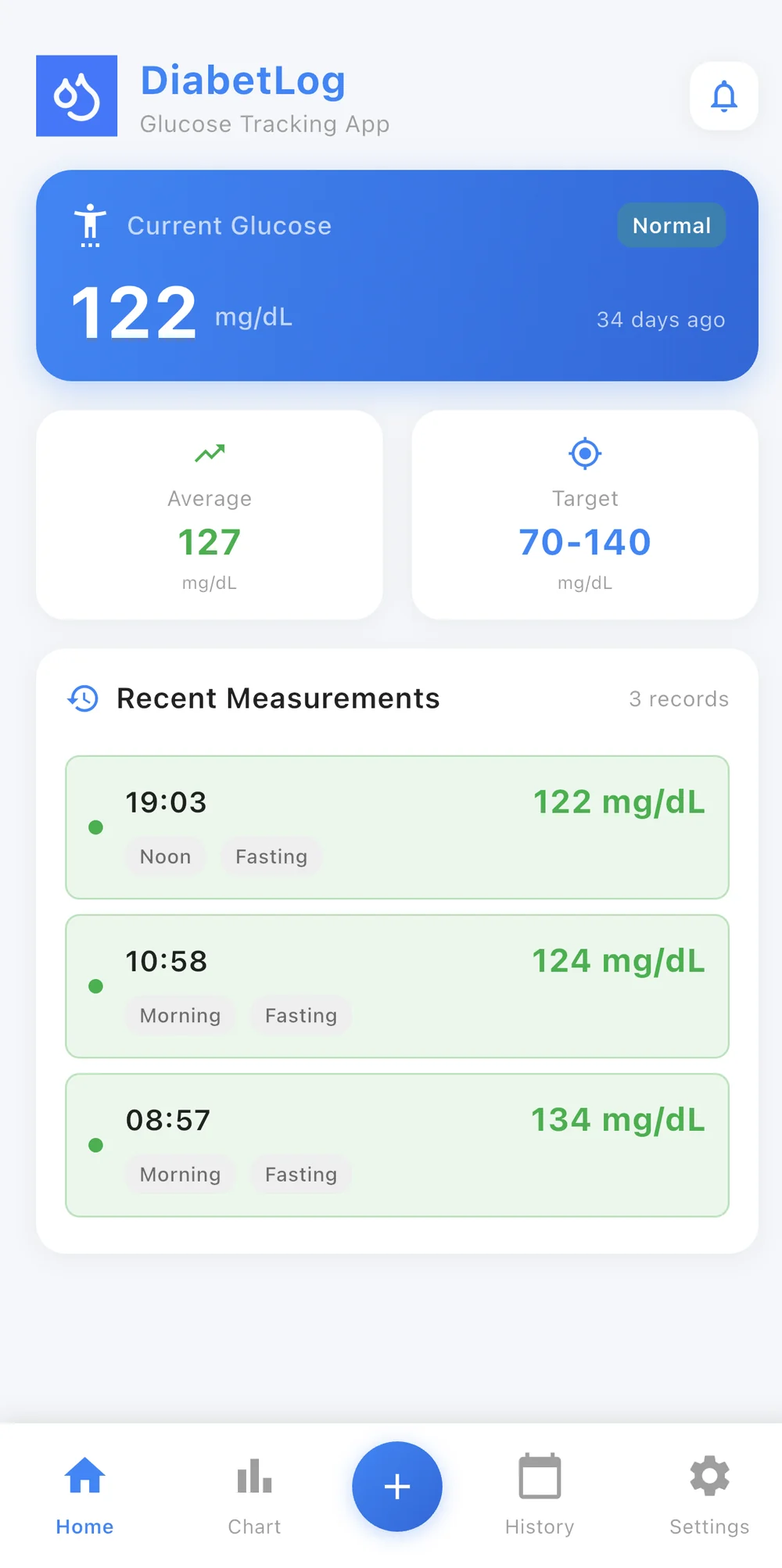
DiabetLog is a blood sugar logging app for iPhone. It doesn't measure glucose — your meter does that. It records the readings you take, charts them over time, syncs with Apple Health and — with Premium — turns your history into a PDF report for your doctor. Free to download, no account required.

  • Logs readings from your glucose meter
  • Charts, trends and a custom target range
  • Syncs blood glucose with Apple Health
  • Readings stay on your iPhone
Download on the App Store

Free download. Also available for Android on Google Play.

DiabetLog on iPhone showing the latest blood sugar reading, average, target range and recent measurements

What DiabetLog does on your iPhone

Most people searching for a blood sugar app for iPhone want one of two things: a way to measure glucose with the phone, or a way to keep the readings they already take organised. DiabetLog does the second. No phone can do the first — see why a phone app can't check your blood sugar.

So the job is narrow on purpose: log each reading from your meter with its time and context, organise the entries into a history, display them on charts against the target range your care team gave you, and export the lot as a PDF when it's time to see your doctor. It does not track insulin, medication, food or A1C, and it doesn't connect to a CGM. It is a glucose logbook that happens to be very quick to use.

Built for daily logging on iPhone

Six things the app does, described as plainly as we can.

Log a reading in a few taps

Open the app, type the value from your meter, pick the time of day and a tag such as fasting. That's an entry. There is no form to fill in and no account to set up first, which is the difference between a log you keep for a week and one you keep for a year.

History, charts and trends

Every entry lands on an interactive chart of your blood sugar history, with averages and in-range statistics. Enter the target range your healthcare professional gave you and the app shows which readings were in range, too high or too low — without interpreting what that means for you.

Apple Health integration

DiabetLog syncs blood glucose readings with Apple Health on your iPhone, so your readings sit alongside the rest of your health data. You grant access in iOS the first time; nothing leaves your device in the process.

Reminders for your check times

Set reminders for the times your care team asked you to check. DiabetLog doesn't decide your schedule — it just makes sure you don't forget the one you were given.

PDF reports for doctor visits

Turn your history into a clean PDF report and share it by email or message before an appointment, or open it on your iPhone in the room. PDF doctor reports are part of DiabetLog Premium.

Readings stay on your iPhone

There is no account and no server. Your readings are stored only on your device, and nothing is uploaded unless you choose to send a report. Delete the app and the data goes with it.

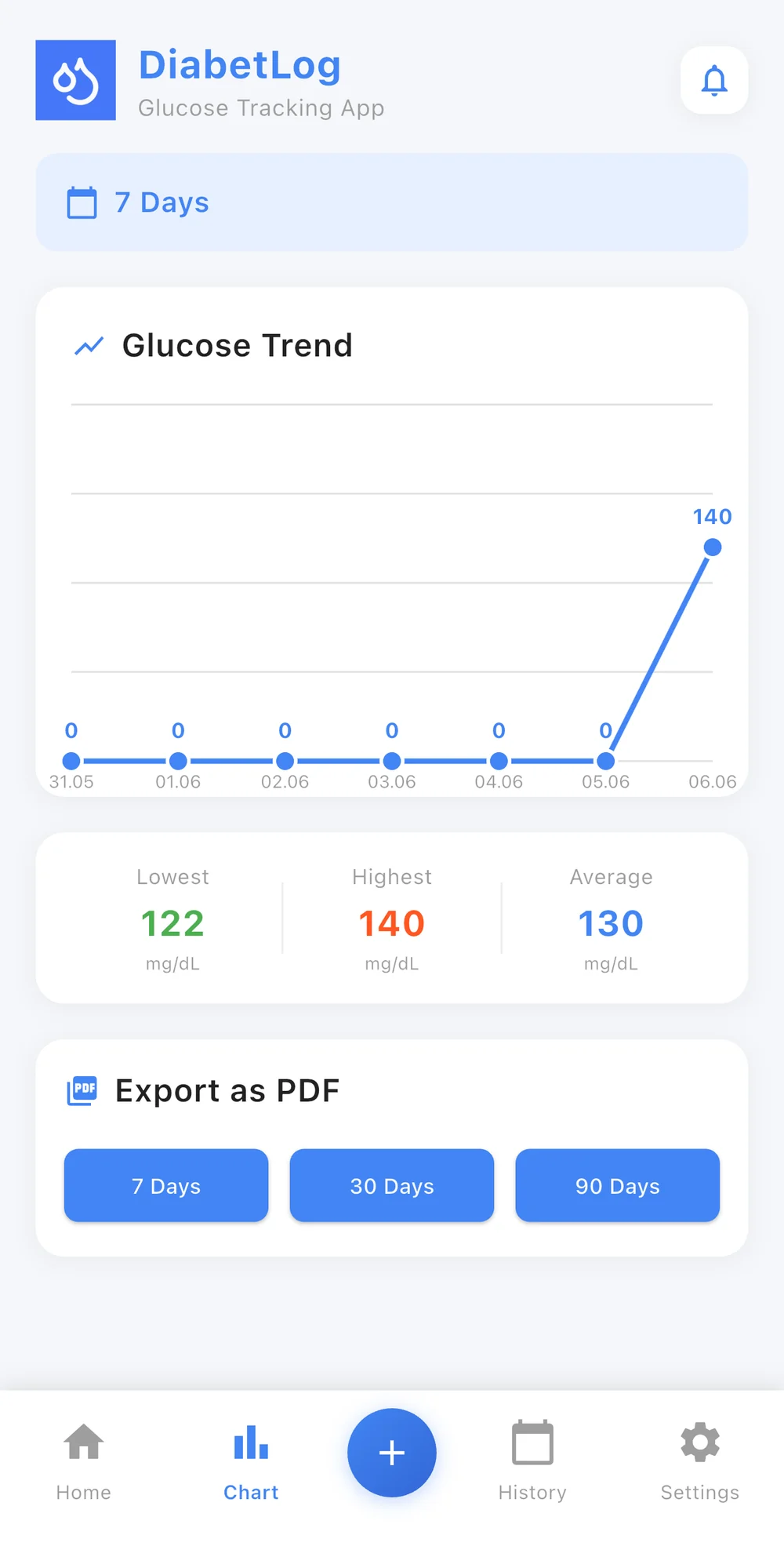
DiabetLog chart screen on iPhone showing blood sugar trends over time

If you already use the Health app on your iPhone, DiabetLog fits in rather than sitting beside it. Blood glucose readings sync with Apple Health, so the values you log show up with your other health data. Access is granted through the standard iOS Health permission screen and can be revoked there at any time.

The chart view is where the log earns its keep. Weeks of readings become a line you can actually read, and the target range your healthcare professional gave you marks which readings were in range, too high or too low. What a pattern means is a conversation for your appointment — the app's job is to make sure the pattern is visible when you get there.

Free to download. Premium for unlimited logging and PDF reports.

DiabetLog is a free blood sugar app for iPhone in the honest sense: the core logging workflow costs nothing. Premium adds capacity and reporting.

Free

Download and start logging.

  • Blood glucose entry with time-of-day tags
  • History, interactive charts and statistics
  • Custom target range from your care team
  • Reminders
  • Apple Health sync
  • On-device storage, no account

Premium

Everything in Free, plus:

  • Unlimited measurements
  • PDF doctor reports
  • Advanced features

Premium is offered as a subscription or a one-time lifetime purchase. Current options and prices are shown in the app and on the App Store listing.

Works on iPhone and iPad

DiabetLog requires iOS 14.0 or later and runs on iPhone and iPad. It is available in English, French, German, Italian and Turkish. An Android version is on Google Play; Apple Health sync is specific to iPhone.

Download on the App StoreGet it on Google Play

Blood sugar app for iPhone: questions people ask

Can an iPhone measure blood sugar?

No. An iPhone by itself does not directly measure blood glucose, and neither does any app that runs on it — including DiabetLog. Blood sugar is measured with a glucose meter and test strip or a continuous glucose monitor. DiabetLog is used to record and organize the readings you obtain from an appropriate measurement device, so you can see your history and share it with your doctor.

Is DiabetLog a free blood sugar app for iPhone?

DiabetLog is free to download from the App Store. Glucose entry, charts, reminders and statistics are included for free. DiabetLog Premium unlocks unlimited measurements, PDF doctor reports and advanced features; current Premium options and prices are shown in the app and on the App Store listing.

How does the Apple Health integration work?

DiabetLog syncs blood glucose readings with Apple Health on iPhone. When you first enable it, iOS asks you to grant DiabetLog access to Health data, and you can change that permission at any time in the Health app. The sync runs on your device; DiabetLog has no server involved.

Do I need to create an account?

No. DiabetLog works without an account or sign-in. Install it, open it and log your first reading. Because there is no account, your readings are stored only on your iPhone and are not backed up to a DiabetLog cloud.

Does DiabetLog work on iPad?

Yes. DiabetLog requires iOS 14.0 or later and is compatible with iPhone and iPad. Apple Health sync is available on iPhone.

Does DiabetLog connect to my glucose meter or CGM?

No. DiabetLog does not connect to meters or continuous glucose monitors. You enter each reading manually from your device. It also does not track insulin, medication, food or A1C — it is focused on blood glucose readings.

Is there an Android version?

Yes. DiabetLog is also available on Google Play for Android. Apple Health sync is specific to iPhone; the rest of the logging, charts, reminders and PDF report features are the same.